Complete Guide to RIP Software for Digital Printing Success
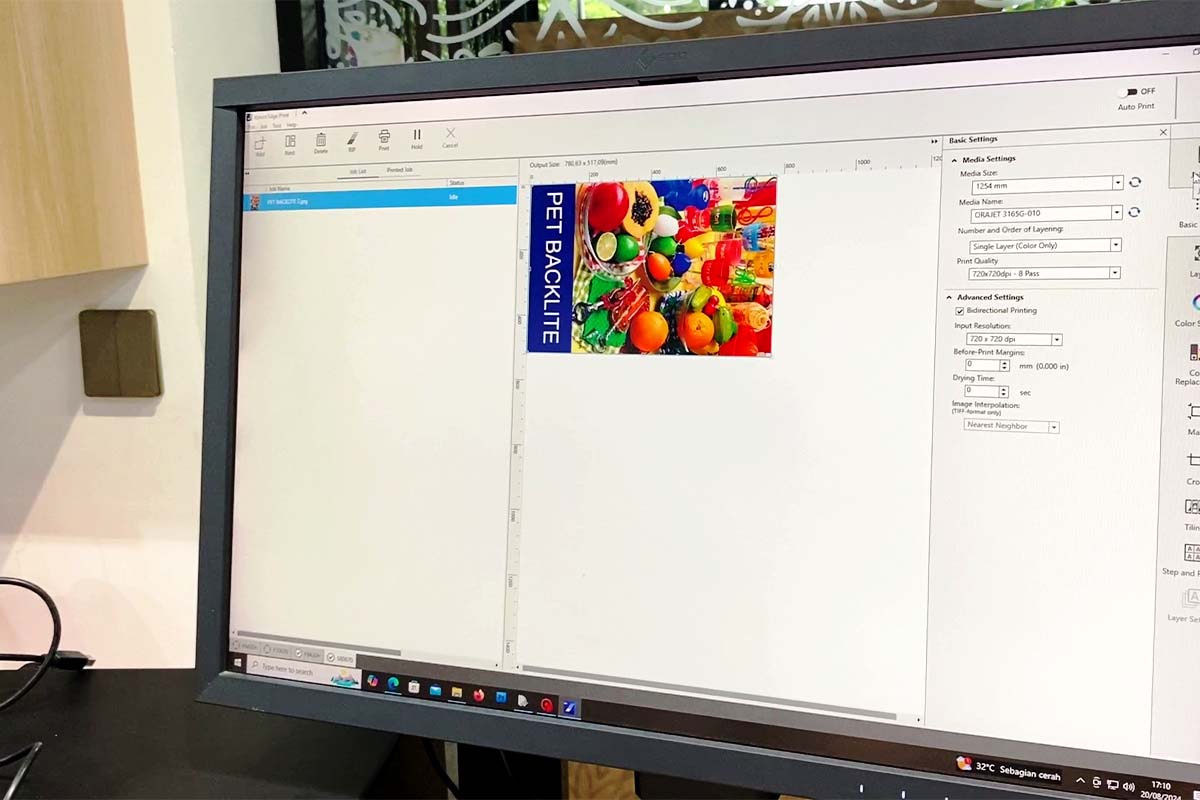
RIP software acts as your digital printing command center, transforming designs into precise printer instructions while automating color management and workflow processes. You’ll benefit from streamlined production, reduced waste, and consistent quality across materials through features like automated file preparation, intelligent queuing, and color calibration tools. The right RIP solution can boost your productivity by up to 13.7% while ensuring perfect prints every time. Let’s investigate how to choose and maximize your RIP software investment.
Key Takeaways
- RIP software transforms digital designs into printer-ready data while ensuring color accuracy and consistent output across different materials.
- Choose RIP software based on production volume, compatibility with existing printers, and potential for future business growth.
- Automated features like intelligent nesting and queue management optimize material usage and streamline workflow efficiency.
- Consider licensing models carefully, weighing perpetual licenses against subscription-based options to maximize return on investment.
- Invest in comprehensive training and reliable support to ensure staff can fully utilize the software’s capabilities.
Understanding RIP Software
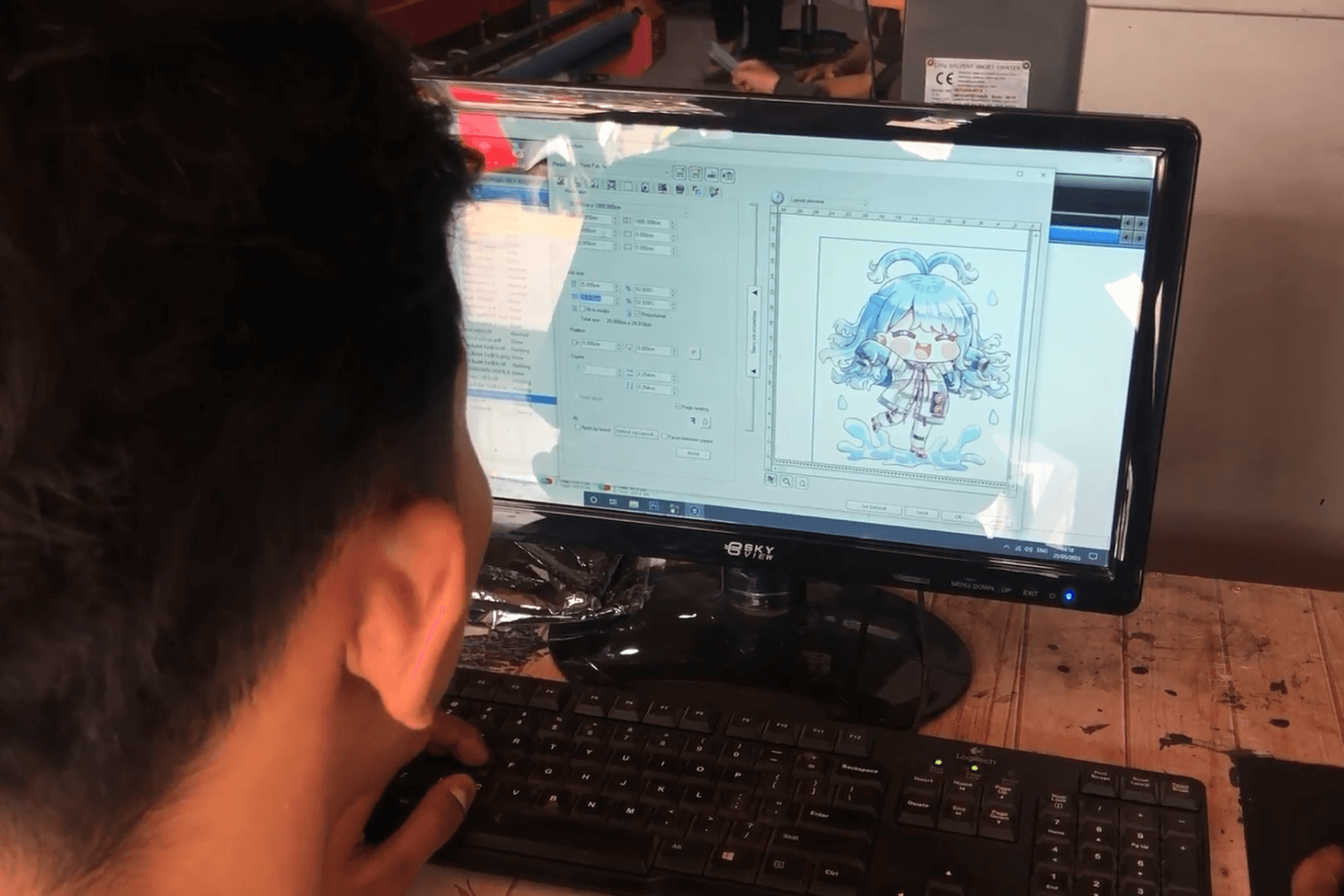
In the domain of digital textile printing, RIP (Raster Image Processor) software serves as your vital control center. Think of it as your printing command headquarters, transforming your digital designs into precise instructions for your printer.
You’ll find that RIP software streamlines your print workflow automation by handling complex tasks like file preparation and color separation. It’s the bridge between your creative vision and the final product.
Your color management system within the RIP guarantees consistent, accurate results across different materials and printers. You won’t have to worry about color matching headaches anymore.
Let’s investigate how RIP software processes your artwork. It breaks down complex images into printable data while optimizing quality and speed. You’ll gain better control over ink usage and printing parameters.
Moving forward, you’ll discover why proper RIP software is vital for your textile printing success.
With the industry’s 13.7% growth rate, RIP software has become essential for businesses looking to capitalize on the expanding digital textile printing market.
How RIP Software Works in Digital Printing
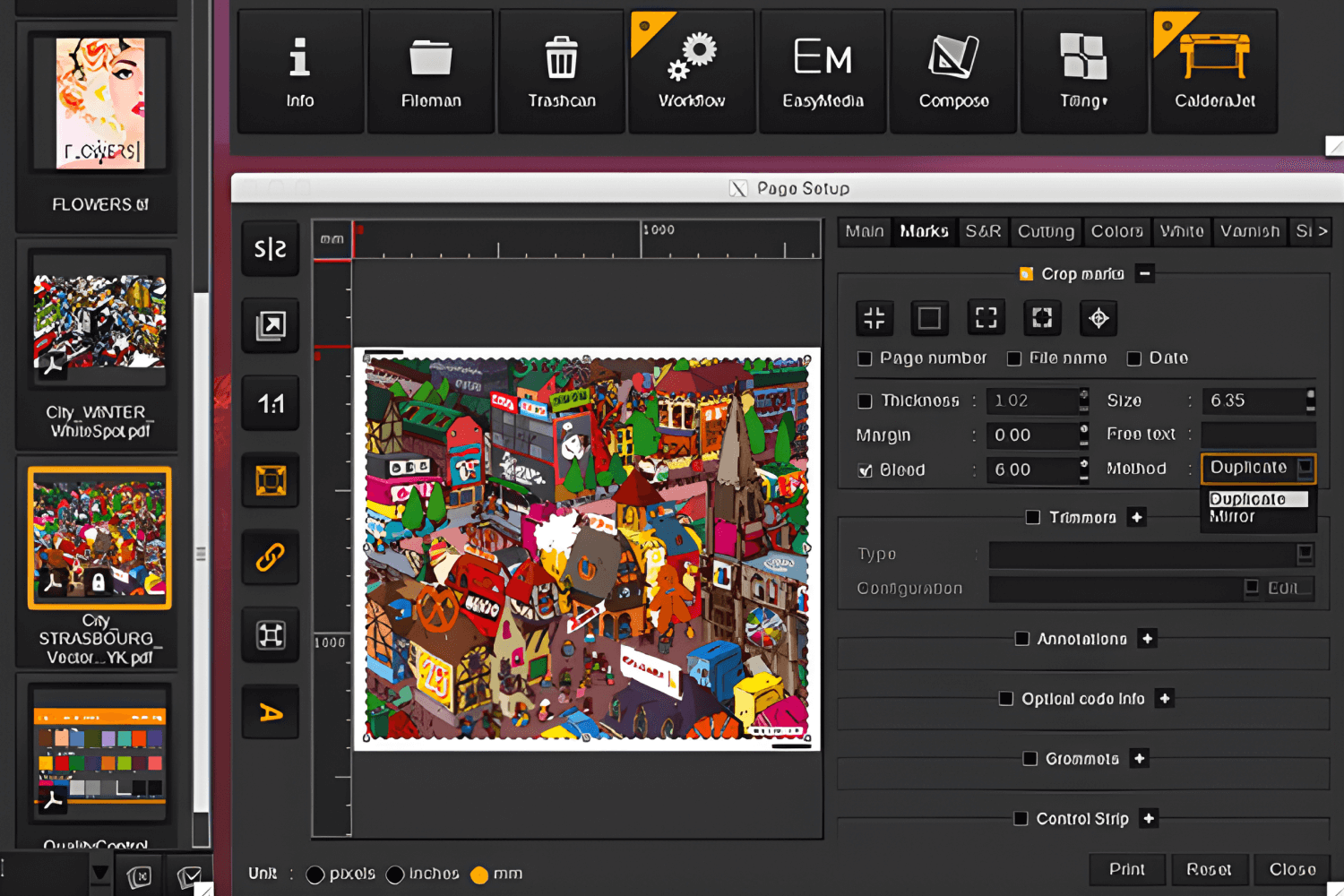
When you send a job to your digital printer, RIP software first converts your design into a format the printer can understand through a process called rasterization. You’ll see the RIP software handling essential tasks like color management, image scaling, and screening as it prepares your file for ideal printing quality. The software then streams this processed data directly to your printer, controlling variables like print speed, ink coverage, and print head movements to guarantee precise output. With proper RIP software implementation and expert guidance, entrepreneurs can maximize their textile printing business profitability while maintaining consistent quality standards.
RIP Software Workflow
RIP software functions as the brain behind digital printing operations, transforming your design files into printer-ready data. When you send artwork through your print production software, it follows a systematic workflow to guarantee ideal results.
You’ll start by importing your design file into the RIP interface. The software then analyzes color profiles and prepares color calibration settings for your specific printer model.
Next, your file undergoes rasterization, where the software converts vector graphics and text into printable bitmap data. This process enhances print workflow efficiency by determining dot patterns and ink distribution.
Finally, the RIP software calculates printing parameters like speed, resolution, and material settings. You’ll get a preview of your job before sending it to the printer, allowing for last-minute adjustments if needed.
Core Functions of RIP Software
Digital printing relies on several core RIP software functions that transform your creative vision into reality. Your print job management becomes seamless as the software processes complex design files into printer-ready data.
You’ll find that modern digital printing software handles color separation automatically. It breaks down your artwork into individual color channels for precise output.
The RIP engine interpolates your image data, ensuring sharp prints at any size. You’re getting professional-quality results through advanced screening algorithms.
Your workflow benefits from intelligent queue management and automated preflight checks. These features catch potential issues before they affect production.
Color calibration tools help you maintain consistency across different media types. You’ll achieve predictable results whether you’re printing on fabric, film, or paper.
Advanced Features of Modern RIP Software
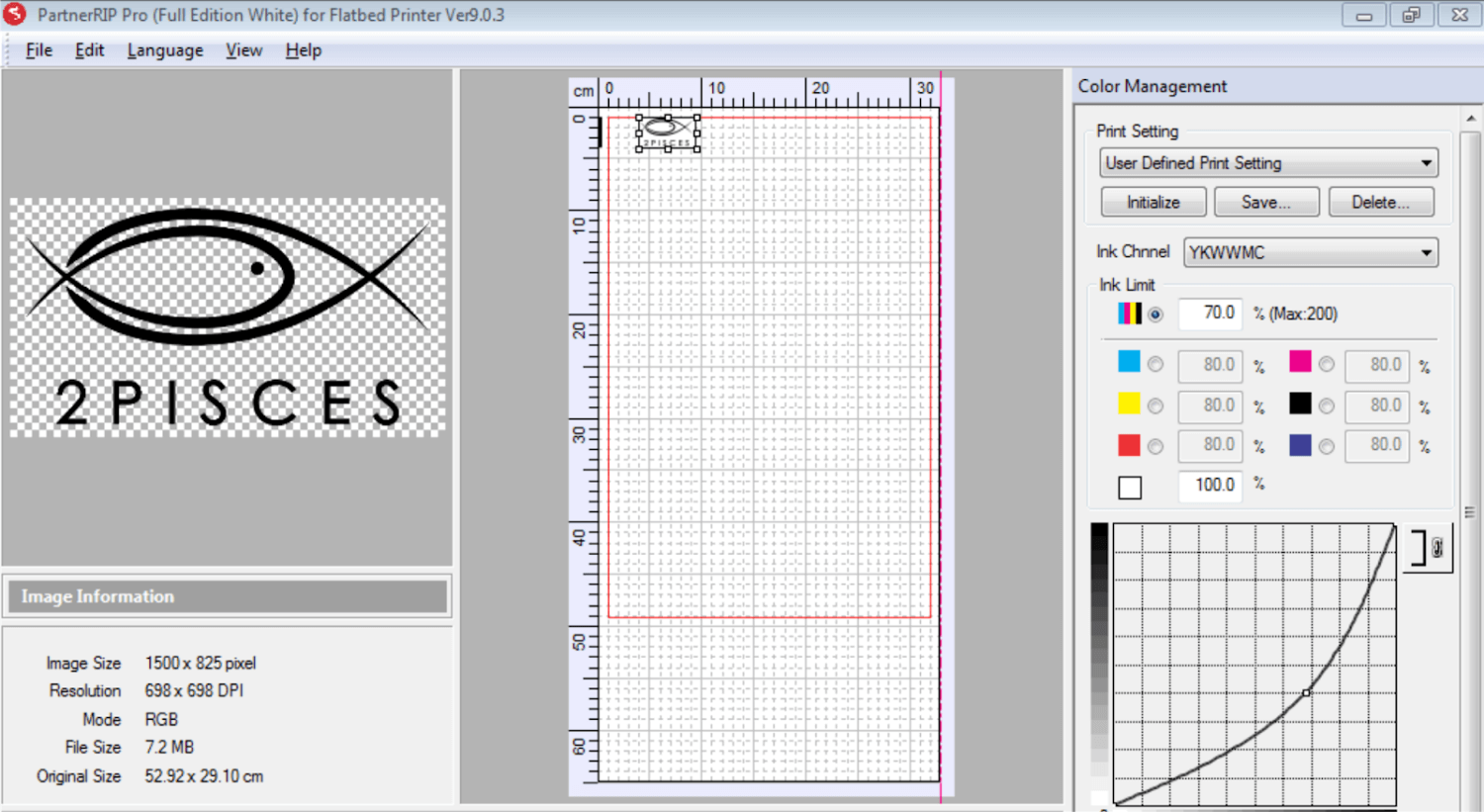
Modern design software has transformed printing with powerful RIP (Raster Image Processing) features. You’ll find today’s raster image processor capabilities go far beyond basic file preparation.
Advanced RIP solutions now offer intelligent color management for print color accuracy across different materials and printers. You can achieve precise digital print optimization through automated workflow features.
Let’s investigate some cutting-edge capabilities you’ll love. Modern RIP software includes variable data printing, allowing you to customize each printed piece automatically.
You might wonder about quality control. These systems now feature built-in preflight checks and color calibration tools to guarantee consistent results.
Moving on to efficiency, you’ll find automated nesting features that optimize material usage and reduce waste. Smart queuing systems help you manage multiple print jobs simultaneously.
For textile printing applications, sublimation printing technology enables high-quality output on jerseys, hijabs, scarves, and other fabric products.
Benefits of RIP Software in Digital Production
The remarkable benefits of implementing RIP software can transform your printing operations. You’ll gain precise control through advanced postscript interpreter technology that optimizes every print job.
Print production management becomes seamless when you’re using RIP workflow solutions. You’ll reduce waste and boost efficiency across your entire operation.
Your color accuracy will improve dramatically. The software guarantees consistent output across different materials and printer types.
You’ll save valuable time with automated file preparation and queuing. Think of it as your printing department’s personal assistant.
The software helps you maximize material usage through intelligent nesting. You’ll cut costs while maintaining professional quality.
Your workflow becomes more organized and predictable. RIP software gives you the tools to handle complex jobs with confidence and precision.
Like modern water-based pigment inks, RIP software prioritizes both performance and environmental responsibility in digital printing.
Selecting the Right RIP Software Solution
Choosing the right RIP software can feel overwhelming with so many options available. You’ll want to focus on solutions that align with your specific printing needs and workflow requirements.
Consider these key factors when evaluating RIP software for your business:
- Print file preparation capabilities that match your most common file types
- Print color profiles compatible with your textile printer models
- Print job queuing features that optimize production efficiency
- Integration options with your existing hardware setup
You’ll find the selection process easier when you evaluate based on your daily operations. Think about the types of fabrics you’re printing on and the volume of orders you handle.
A good RIP solution should streamline your workflow while maintaining consistent output quality. Don’t forget to factor in the learning curve for your operators.
Top RIP Software Recommendations
Leading RIP software solutions let you optimize every aspect of digital textile printing. You’ll find powerful options that streamline your print prepress software workflow.
| Software | Best For | Key Feature |
|---|---|---|
| ColorGATE | Production Houses | Advanced color management |
| Caldera | Large Format | Multi-device control |
| Onyx | Sign & Display | Automated workflows |
Let’s investigate some top pdf rip software choices that’ll transform your printing operations. These solutions offer precise color matching and efficient file processing.
You might wonder which option fits your needs best. Consider your production volume and specific application requirements when choosing. Most providers offer free trials so you can test their features firsthand.
Now that we comprehend the options, you’re better equipped to select the right solution for your digital textile printing business.
Licensing and Cost Considerations
When investing in RIP software, you’ll need to understand several cost structures and licensing models. Commercial printing software comes with various pricing tiers based on your needs and output volume.
You’ll find these common licensing options for print cost optimization:
- Perpetual license – One-time payment with optional annual maintenance fees
- Subscription-based – Monthly or yearly payments with automatic updates
- Pay-per-use – Charges based on actual printing volume
- Bundle packages – Combined hardware and RIP configuration deals
Your choice impacts both immediate costs and long-term ROI. Consider factors like the number of workstations you’ll need and whether you want cloud-based or local installations.
Smart licensing choices help you maximize productivity while keeping expenses in check. Don’t forget to factor in training and support costs.
Conclusion
A successful RIP software implementation can transform your digital printing workflow from chaotic to streamlined. When you invest in the right print automation tools, you’ll see dramatic improvements in efficiency and consistency.
You’ll find that modern print quality control features give you unprecedented command over your output. These capabilities guarantee your prints match client expectations every time.
Enterprise print solutions have evolved to meet the demands of today’s digital printing landscape. They’re now more accessible and user-friendly than ever before.
Remember that choosing the right RIP software isn’t just about features – it’s about finding a solution that grows with your business. You’re investing in your company’s future printing capabilities.
Take time to evaluate your options and select a RIP solution that aligns with your production goals.
We understand you. Therefore, contact TEXCO’s Business Consultant for FREE without any charges.
Get advice, recommendations, and business strategies from the experts.