Digital Printing Software: 15 Must-Have Tools for Success

For digital printing success, you’ll need a robust software toolkit combining professional design and production tools. Essential design software includes Adobe Creative Suite (Illustrator, Photoshop, InDesign) or cost-effective alternatives like Affinity Designer and CorelDRAW. Add professional RIP software like Onyx or Caldera for color management and workflow automation. Open-source options like Inkscape and GIMP can supplement your arsenal. Let’s investigate how these tools can transform your printing business.
Key Takeaways
- Professional design software like Adobe Creative Suite and CorelDRAW are essential for creating print-ready artwork and precise designs.
- RIP software solutions manage digital printing workflows, control color accuracy, and optimize print queue management for efficient production.
- Open-source alternatives like Inkscape and GIMP provide cost-effective options for vector graphics and photo editing capabilities.
- Color management systems ensure consistency across different printing materials and maintain professional quality standards.
- Workflow management tools streamline operations, enhance team collaboration, and track production performance for business growth.
Design and Production Software: Professional Design Tools
When you’re ready to create professional textile designs, you’ll want to get familiar with industry-standard software tools like CorelDRAW Graphics Suite, Adobe Illustrator, Photoshop, and InDesign. These powerful programs let you develop everything from intricate patterns to bold graphics, with Affinity Designer emerging as a cost-effective alternative to Adobe’s suite. You’ll find these tools essential for creating print-ready files that work seamlessly with Texco’s range of digital printing systems, whether you’re designing for sublimation, DTF, or direct-to-fabric applications. The growing sustainable textile market is driving increased demand for digital design software that can optimize fabric prints while minimizing production waste.
1. CorelDRAW Graphics Suite

Since digital textile printing demands precision in design, CorelDRAW Graphics Suite stands as an essential professional software package for creating and editing print-ready artwork.
You’ll find this design software for printing particularly valuable when working with Texco’s diverse printing systems. It seamlessly handles sublimation, DTF, and DTG file preparations.
The suite’s powerful vector tools let you create scalable designs for everything from small garments to large textiles. You’re able to adjust color separations and preview how your artwork will appear on different fabric types.
Your textile designs will benefit from CorelDRAW’s precise color management and extensive file format compatibility.
Expert consultation services are available to help you maximize CorelDRAW’s potential for your digital printing business needs.
2. Adobe Illustrator

Adobe Illustrator reigns as the industry-standard vector graphics software for textile design professionals. You’ll find it’s essential for creating scalable designs that maintain quality at any size.
When you’re working with professional design tools, Illustrator offers these game-changing features:
- Precise pattern creation with seamless repeats
- Advanced color management for accurate textile printing
- Customizable brushes for fabric textures and effects
- Smart object integration with other Adobe apps
You can transform your textile designs from concept to production-ready files. Illustrator’s vector-based workflow guarantees your prints will look crisp whether they’re on business cards or billboards.
3. Adobe Photoshop

Complementing Illustrator’s vector prowess, Photoshop stands as the go-to raster graphics powerhouse for textile designers.
You’ll find it essential for creating detailed textile patterns and manipulating high-resolution photos for DTF and DTG printing. Its layer-based workflow lets you fine-tune every element of your design.
When you’re working with digital printing software for fabrics, Photoshop’s advanced color correction and image improvement tools become invaluable. You can easily adjust saturation, contrast, and color profiles specific to textile applications.
The software’s broad compatibility with Texco’s printer range guarantees your designs translate perfectly from screen to fabric.
4. Adobe InDesign

Professional textile designers rely on InDesign for creating comprehensive print production layouts and catalogs. You’ll find this print production software essential for your digital textile business needs.
When you’re ready to enhance your design workflow, InDesign offers these key advantages:
- Multi-page layout capabilities for product catalogs and lookbooks
- Advanced typography control for technical specifications
- Master page templates for consistent branding
- Seamless integration with Photoshop for textile pattern placement
You can streamline your production process by combining InDesign’s layout tools with Texco’s printing solutions. It’s perfect for creating professional documentation that’ll impress your clients and streamline your workflow.
5. Affinity Designer

When you’re seeking a powerful alternative to traditional design software, Affinity Designer stands out as a cost-effective solution for textile printing projects.
You’ll appreciate its robust vector tools that let you create precise designs for any fabric type. The software seamlessly integrates with your print business management workflow.
Its intuitive interface makes it easy to design patterns, logos, and complex textile layouts. You can export in multiple formats compatible with various printing systems.
The one-time purchase model saves you money compared to subscription-based alternatives. Plus, you’ll find the advanced color management features essential for accurate textile reproduction.
6. Affinity Publisher

Desktop publishers will find their match in Affinity Publisher, a robust page layout software that’s perfect for textile printing catalogs and design collections.
You’ll streamline your digital printing workflow with this professional alternative to Adobe InDesign. The software lets you create stunning layouts for your textile products.
Here’s what makes Affinity Publisher stand out:
- Seamless integration with other Affinity apps for textile design
- Advanced typography controls for product catalogs
- Professional color management for accurate fabric printing
- Master page templates for consistent branding materials
The learning curve is gentle, and you’ll appreciate its one-time purchase model instead of a subscription.
7. Photopea

Looking for a free alternative to powerful photo editing software? Photopea is your browser-based solution that mirrors professional tools like Photoshop.
You’ll find familiar features for digital printing automation, including layers, masks, and filters. It’s perfect for creating print-ready designs without expensive subscriptions.
Working with textile designs? Photopea handles various file formats that integrate seamlessly with your printing workflow.
The interface feels instantly familiar if you’ve used other editing software. You can even open and edit PSD files directly in your browser.
Best of all, there’s no installation required. Just open your browser and start creating.
8. Canva

A powerhouse of creativity awaits in Canva’s intuitive design platform. You’ll discover why it’s becoming essential print shop management software for modern businesses.
From social media graphics to large-format prints, Canva streamlines your workflow with drag-and-drop simplicity. You’re always just clicks away from professional-quality designs.
Here’s what makes Canva stand out:
- Custom brand kit storage for consistent business identity
- Real-time team collaboration features
- Pre-sized templates for various print formats
- Direct integration with print-on-demand services
You’ll appreciate Canva’s flexibility whether you’re creating business cards or billboard designs. Its cloud-based platform guarantees your projects are accessible anywhere.
9. GIMP

Professional designers flock to GIMP for its powerful open-source alternative to premium photo editing software. You’ll love that it’s completely free while offering robust features for print production management.
You can edit high-resolution images with precision using GIMP’s advanced tools. The software handles everything from basic retouching to complex layer compositions.
For textile printing workflows, GIMP excels at creating detailed designs and color separations. You’ll find the interface intuitive once you investigate its customizable workspace.
Let’s be honest – while it may not be as polished as paid alternatives, GIMP’s capabilities are more than sufficient for most digital printing projects.
10. Inkscape

Vector design masters rely on Inkscape as their go-to open-source tool for creating scalable graphics. You’ll find it’s perfect for digital printing technology projects that require crisp, resolution-independent artwork.
What makes Inkscape stand out? Here are its key features:
- Node editing for precise vector control
- SVG file format compatibility
- Extension support for custom tools
- Cross-platform functionality (Windows, Mac, Linux)
You can create everything from custom t-shirt designs to large-format banners without losing quality. The interface might seem complex at first, but you’ll quickly discover how intuitive it becomes for your textile printing projects.
11. Scribus
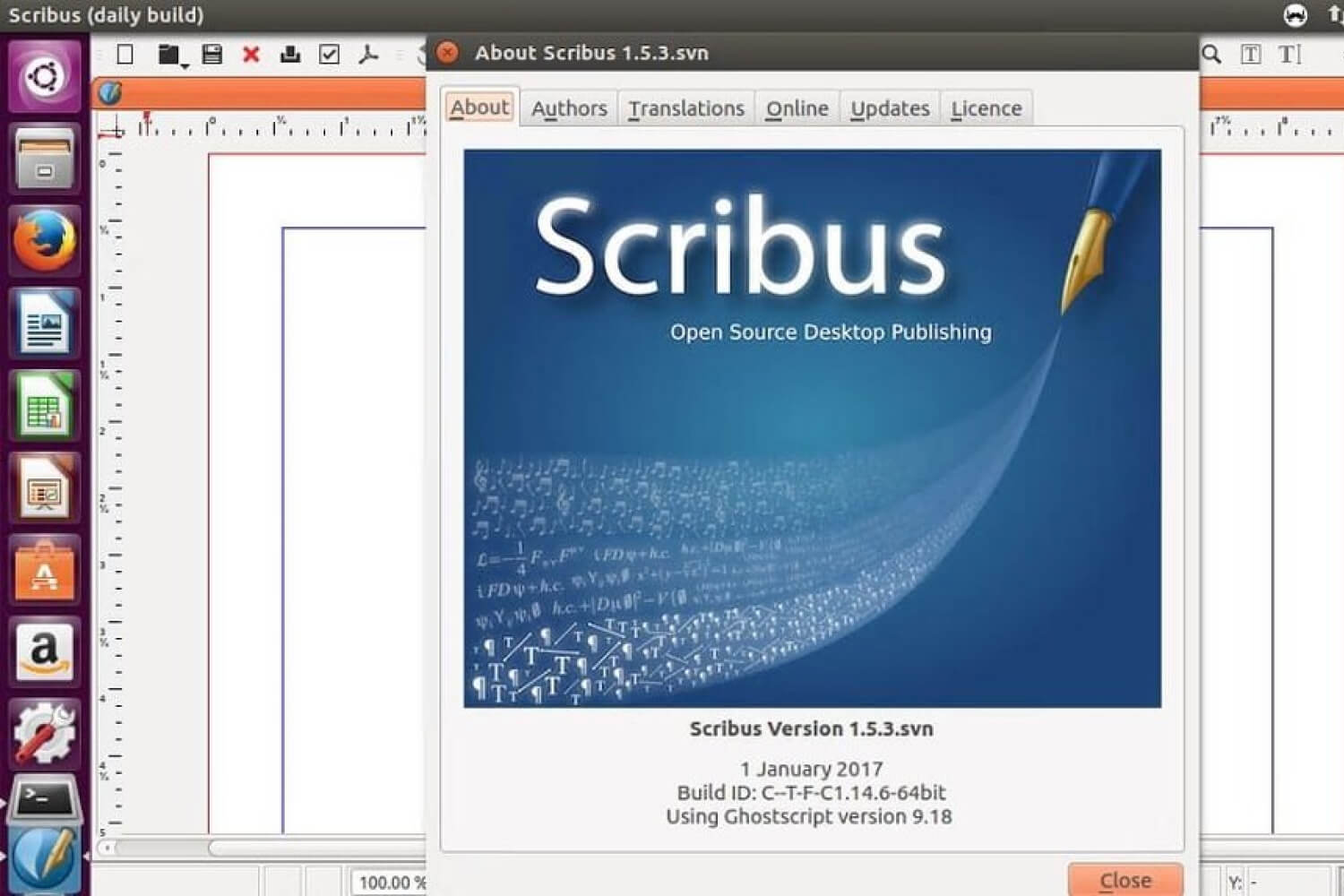
Whether you’re designing product catalogs or textile pattern layouts, Scribus delivers open-source desktop publishing power that rivals commercial software. It’s a go-to printing business tool for creating professional layouts.
You’ll find advanced features like CMYK color support and PDF export capabilities essential for textile printing projects. The software handles complex designs with precision.
Need to create technical documentation for your printing operations? Scribus makes it simple with its intuitive interface and professional typography controls.
The best part? You’re getting commercial-grade features without the hefty price tag. It’s perfect for small to medium-sized textile printing businesses looking to scale their operations.
Production Management Solutions: RIP Software Solutions
When you’re ready to get serious about digital textile printing, you’ll need professional RIP (Raster Image Processor) software to manage your production workflow. Industry-standard solutions like Onyx RIP, Caldera RIP, Wasatch SoftRIP, and SAi Flexi help you control color accuracy, handle file processing, and optimize print queue management. You’ll find these powerful tools especially useful for Texco’s range of sublimation and DTF printers, as they’re designed to maximize both quality and production efficiency. With the DTF market growth projected to reach $8.2 billion by 2028, investing in quality RIP software is essential for scaling your printing operations.
12. Onyx RIP

Since digital printing workflows demand precise color management and file processing, Onyx RIP software stands as an industry-leading solution that streamlines production tasks.
You’ll find this software essential for your textile printing operations, whether you’re working with sublimation, DTF, or DTG systems.
Here’s what makes Onyx RIP software solutions powerful:
- Advanced color profiling for accurate fabric reproduction
- Automated workflow templates for faster production
- Multi-printer management from a single interface
- Quick preview and editing tools for last-minute adjustments
You can maximize efficiency by integrating Onyx RIP with your existing printing systems, ensuring consistent quality across all your textile projects.
13. Caldera RIP

Alongside Onyx, Caldera RIP software emerges as another powerful solution for your digital textile printing needs. You’ll appreciate its seamless integration with sublimation, DTF, and DTG printing systems.
Caldera RIP software solutions excel at color management and workflow automation. You’re getting precise color reproduction across multiple devices and materials.
When you’re handling diverse textile projects, you’ll find Caldera’s interface intuitive and adaptable. It supports various file formats and offers automated nesting for ideal material usage.
The software pairs perfectly with Texco’s printer lineup, ensuring you achieve consistent, high-quality results across polyester, cotton, and mixed fabrics.
14. Wasatch SoftRIP

Wasatch SoftRIP takes your textile printing workflow to new heights with its robust color management capabilities. You’ll find advanced print workflow solutions that streamline your production process.
Let’s investigate what makes Wasatch SoftRIP stand out:
- Smart color profiling that adapts to different fabric types
- Intuitive queue management for handling multiple print jobs
- Cost estimation tools to optimize your production expenses
- Integration with major textile printer brands like those in Texco’s lineup
You can boost efficiency with its user-friendly interface. The software handles complex color matching while maintaining consistency across your printing projects.
15. SAi Flexi

While exploring digital printing software solutions, SAi Flexi emerges as a powerhouse RIP platform that’s trusted by textile printing professionals worldwide.
You’ll appreciate its intuitive interface that streamlines your print shop automation needs. The software integrates seamlessly with multiple printer brands and cutting systems.
What sets SAi Flexi apart is its comprehensive color management tools and built-in production templates for textile applications. You’re getting precise color matching capabilities and efficient workflow optimization.
When you’re handling diverse printing jobs, the software’s nesting features help maximize material usage. Its cloud connectivity guarantees you can monitor production from anywhere.
Implementation Guidelines
Successful implementation of digital printing software requires careful planning and systematic setup. You’ll need to integrate print management systems effectively to maximize your workflow efficiency.
Let’s investigate the essential steps to get your digital printing software up and running:
- Assess your hardware compatibility and system requirements
- Set up user permissions and workflow protocols
- Configure color management settings and printer profiles
- Establish backup and maintenance schedules
Consider starting with a pilot project to test your implementation. You’ll want to document each step and train your team thoroughly. Keep in mind that proper implementation now saves countless headaches later. Modern systems can achieve 3200 DPI resolution for exceptional print quality when properly configured.
Expert Recommendations
Leading industry experts consistently recommend prioritizing software compatibility and workflow optimization for digital textile printing.
You’ll want to focus on printing industry software that integrates seamlessly with Texco’s diverse printer lineup. Choose platforms supporting DTF, DTG, and sublimation workflows.
Your success depends on selecting tools that complement your specific printing methods. DTF users should prioritize RIP software with film separation capabilities.
Consider solutions offering free business consultation features similar to Texco’s support model. This guarantees you’re maximizing both equipment and software investments.
Remember to verify Oeko-Tex compliance when selecting color management tools. It’ll help maintain eco-friendly production standards.
Conclusion
As modern textile printing evolves, you’ll need comprehensive software solutions to complement your hardware investments. Professional printing solutions require both technical expertise and the right digital tools.
Your success in digital textile printing depends on:
- Selecting software that integrates seamlessly with your hardware
- Implementing color management systems effectively
- Maintaining workflow efficiency through automation
- Keeping up with software updates and industry trends
You’re now equipped to make informed decisions about your printing software toolkit. Keep in mind that the right combination of tools will streamline your operations and boost productivity. Stay innovative and keep exploring new solutions as technology advances.
To further enhance your business profits, don’t miss our article on “11 Amazing DTF & DTG Printing Ideas for Your Business!”