8+ Textile Printer Care Tips To Maximize Your Profits
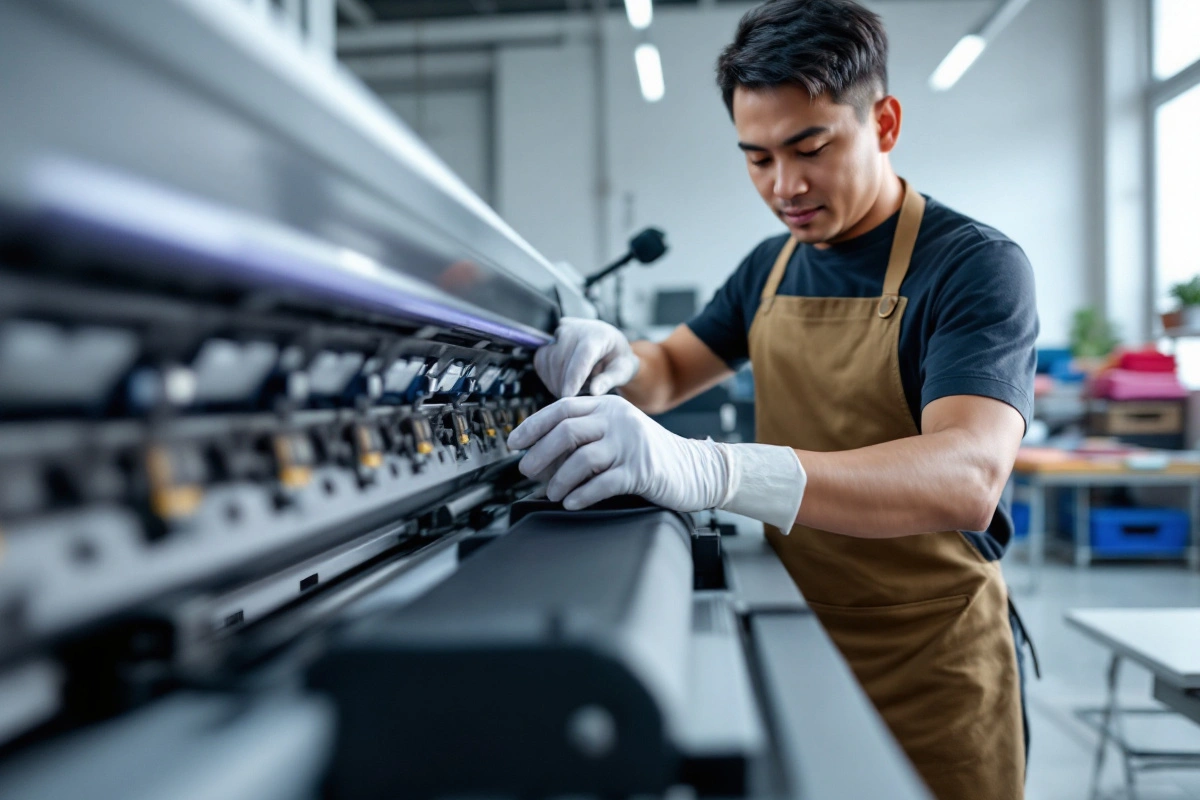
To ensure maximum profitability from your textile printer, establish a solid maintenance routine. Operate the printer daily to avoid ink clogs, and perform test prints before shutting it down.
Clean printheads, wipers, and capping stations weekly while maintaining a dust-free environment at 68-77°F with 45-65% humidity. Use a stable 220V power supply with proper grounding.
Check ink levels regularly and refill carefully to avoid air bubbles. Replace dampers and capping stations on schedule, and deep clean the printhead assembly every six months.
Vacuum the workspace daily and keep the printer covered when not in use. These essential care tips are just the beginning of optimizing your printer’s performance.
Key Takeaways
- Maintain stable temperature (68-77°F) and humidity (45-65%) to prevent ink clogging and ensure consistent print quality.
- Perform daily nozzle checks and cleaning cycles before operations to prevent printhead failures and costly repairs.
- Install proper voltage stabilizers at 220V with grounding under 5V to protect electronic components from damage.
- Clean core components weekly, including wipers and capping stations, to maintain optimal ink distribution and prevent waste.
- Replace dampers, ink pumps, and filters every 6 months to ensure smooth operation and prevent production downtime.
What are the Maintenance Tips for Sublimation, DTF, DTG, and Direct-to-Fabric Printers?
You’ll keep your textile printer running smoothly by focusing on five key maintenance areas.
Your daily routine should include operating the printer, cleaning core components like wipers and printheads, and maintaining a dust-free environment with stable power at 220V.
When refilling ink, take extra care to prevent air bubbles and contamination while ensuring all connections remain secure and clean.
1. Regularly Clean Core Printer Components
You’ll need to focus on cleaning three critical components of your textile printer to keep it running smoothly. Start with the nozzles or printhead to prevent clogging and guarantee even ink distribution, then move on to the capping station that protects your printhead when not in use. Don’t forget the wiper blade, which keeps ink residue from building up and affecting print quality.
Nozzles or Printhead

Maintaining a clean printhead and nozzles is crucial for ideal textile printer performance. You’ll need to run printhead cleaning cycles at least once a week to prevent clogging.
Check your nozzles daily by printing a test pattern. If you notice missing lines or poor print quality, run a cleaning cycle immediately. Don’t let ink dry in your printhead – it’s much harder to clear once it hardens.
Capping Station
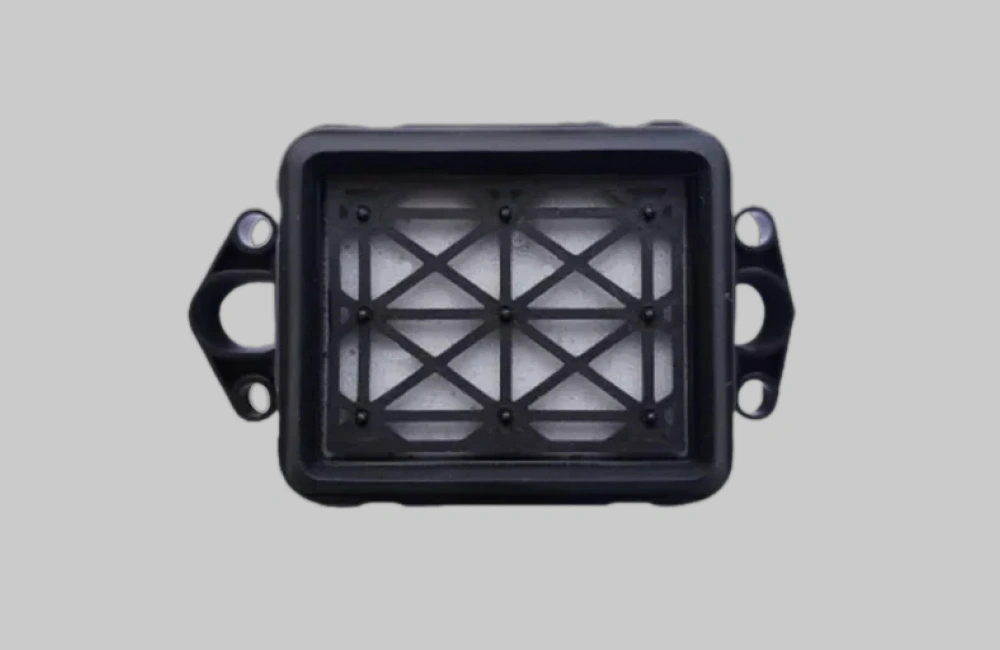
The capping station plays a vital role in protecting your textile printer’s printhead when it’s not in use.
You’ll want to clean your capping station at least once a week to prevent ink buildup. Just use a Q-tip for maximum results and pour the cleaning solution little by little until everything is clean.
If you notice print quality issues, check your capping station first. Regular capping station maintenance helps avoid expensive printhead repairs.
Wiper Blade

Regular cleaning of your printer’s wiper blade guarantees consistent print quality and prevents debris buildup that can damage the printhead.
For ideal printer maintenance, clean your wiper blade every week using sublime cleaner and a cleaning stick. Gently wipe in one direction to remove remaining ink and dust. Don’t forget to check the edge of the blade for wear – replace if there is visible damage.
2. Maintain a Clean Printer Environment

A pristine workspace directly impacts the performance and longevity of textile printers. Your daily textile printer maintenance routine should start with maintaining a dust-free environment.
You’ll want to designate a specific room or area for your printer operations. Keep air filters clean and replace them regularly. Don’t forget to vacuum around your printer daily to prevent dust buildup.
Avoid eating near your printer – food particles attract insects and pest that can damage components. Install proper ventilation systems to remove fumes and keep the air fresh. Remember, a clean environment isn’t just about aesthetics – it’s essential for protecting your investment and ensuring consistent print quality.
3. Ensure Stable Power Supply at 220 Volts & Grounding Max 5 Volts

Maintaining stable power is essential for protecting your textile printer’s sensitive electronic components. You’ll need a consistent voltage for printer operation at 220 volts and proper grounding that doesn’t exceed 5 volts.
Install a high-quality voltage stabilizer to protect your investment. This device will regulate power fluctuations and prevent damage to your printer’s circuitry. Make sure it’s rated for your printer’s power requirements.
Check your electrical setup regularly with a multimeter to confirm proper voltage levels. If you notice any fluctuations or abnormalities, resolve them immediately with a qualified electrician.
Don’t plug your printer into a crowded power strip. Instead, use a dedicated circuit with surge protection. This setup will help prevent power-related issues that could damage your printer or reduce print quality.
4. Operate the Printer Daily
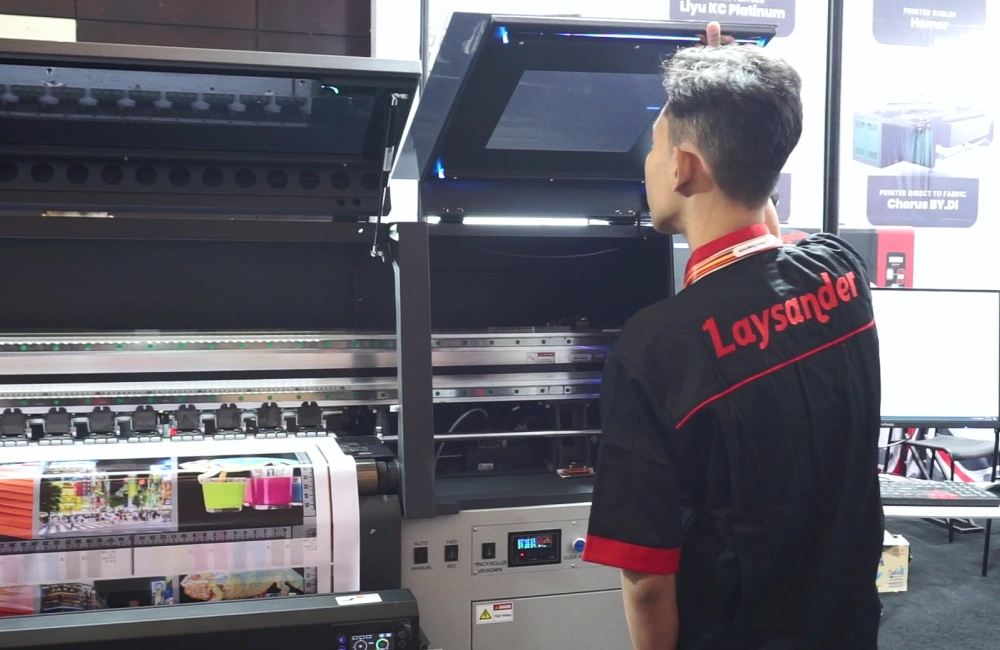
Daily operation of your textile printer prevents ink from drying out and clogging the printhead nozzles. You’ll want to run at least one test print every day to keep the ink flowing smoothly through your printer’s system.
Make it a habit to print something each morning before starting your production runs. Even a small nozzle check pattern helps maintain proper ink flow. Think of it like keeping your car’s engine running – regular use prevents components from seizing up malfunctioning.
For ideal printer maintenance, try to use about one bottle of ink monthly. If you’re not printing customer orders, run some test prints or cleaning cycles. This keeps the printhead active and moist, saving you from costly repairs and ensuring your printer stays ready for business.
5. Exercise Caution During Refills

While daily printer operation keeps ink flowing smoothly, proper ink refilling practices protect your textile printer’s long-term health. You’ll want to make ink maintenance a top priority during refills to prevent costly damage.
Before refilling, guarantee your workspace is dust-free and well-lit. You should wear protective gloves to avoid skin contact with inks. When filling cartridges, tilt them at a 45-degree angle to prevent air bubbles from forming.
Don’t rush the process – careful refilling prevents printhead clogs and guarantees consistent print quality. You’ll save money in the long run by taking your time during refills.
Remember to check your ink levels regularly and never let cartridges run completely dry. This simple step helps maintain ideal pressure in your printer’s ink delivery system.
6. Periodically Replace Dampers and Capping Station

Regular replacement of dampers and capping stations stands out among the most crucial maintenance tasks for textile printers. You’ll want to pay close attention to these components as they directly impact your print quality and machine longevity.
Your dampers serve as mini ink reservoirs and filters, protecting your printhead from debris. Over time, they’ll become corroded or develop hardened rubber surfaces. That’s why you should replace them every 3-6 months as part of your printer maintenance routine.
The capping station keeps your printhead moist when the printer isn’t running. If it’s worn out, you’ll notice dried ink and poor print quality. Replace it alongside your dampers to maintain ideal performance.
Don’t wait for these parts to fail completely. Schedule regular replacements to prevent costly downtime and protect your investment.
7. Use Compatible and High-Quality Ink

A printer’s delicate components demand the right fuel to perform at their best. When you’re maintaining your printer, using compatible, high-quality ink isn’t just a suggestion – it’s essential for long-term success.
You’ll want to stick with manufacturer-recommended inks that match your printer’s specifications. Generic alternatives might save money initially, but they can clog your printhead and damage internal components.
Quality ink helps prevent these common issues:
- Printhead blockages
- Poor color accuracy
- Uneven coverage
- Premature wear of components
Think of your printer like a high-performance vehicle. Just as premium fuel keeps an engine running smoothly, superior ink guarantees your textile printer maintains peak performance. It’s worth investing in the best ink to protect your investment and maintain consistent print quality.
8. Monitor Room Temperature

Maintaining proper room temperature is critical for textile printer performance and longevity. You’ll want to keep your printing area between 68-77°F (20-25°C) for ideal results with your textile printing equipment care routine.
Don’t let temperature fluctuations compromise your print quality. Install a reliable thermometer and monitor it daily. If you’re in a region with extreme temperatures, you’ll need to invest in proper climate control systems.
Watch out for these temperature-related issues:
- Below 65°F: Ink viscosity increases, leading to clogging
- Above 80°F: Ink dries too quickly, causing printhead problems
- Rapid changes: Can cause condensation inside your printer
Set up automatic temperature alerts on your phone. It’s easier to prevent temperature-related damage than to repair it later.
Bonus: Printer Maintenance for Specific Durations or Conditions
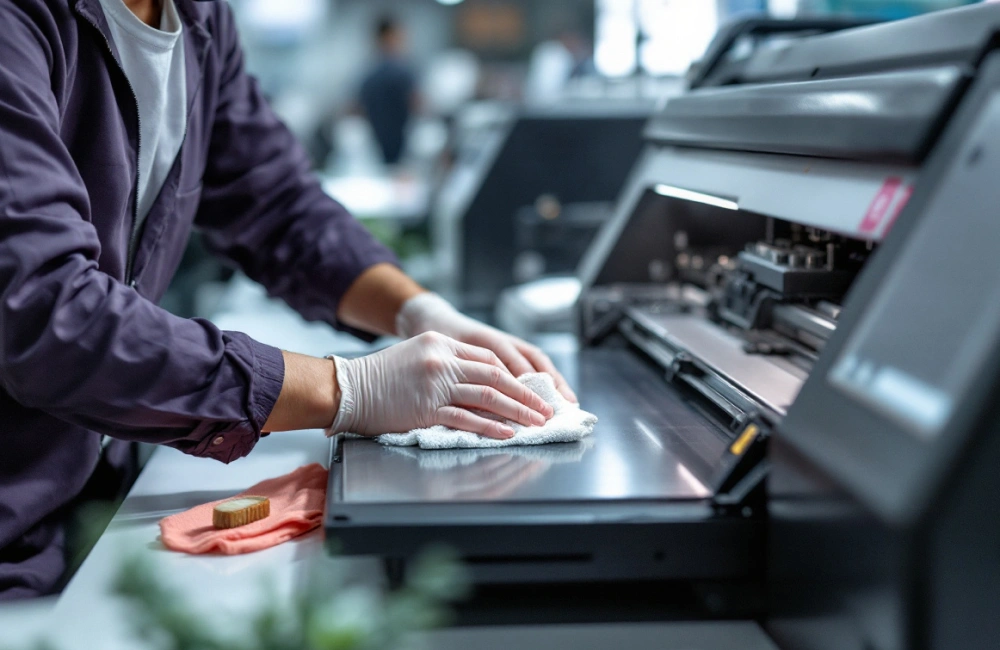
Different periods of printer inactivity require specific maintenance approaches to keep your textile printer in top shape. You’ll need to follow distinct care routines whether your printer sits idle for just a few days or several months at a time. Let’s look at the essential maintenance tasks you should perform daily, weekly, and every few months to protect your investment and guarantee consistent print quality.
If Inactive for More Than 2 Days
When textile printers sit idle for more than two days, they require specific care to prevent printhead clogging and ink drying issues. Your sublimation printer maintenance routine becomes vital during these inactive periods.
You’ll need to run a test print before shutting down your printer. This keeps ink flowing through the system and maintains printhead moisture. Make sure you’ve enabled the auto-cleaning function if your printer has one.
Keep your printer powered on, even when inactive. This allows the system to perform periodic maintenance cycles. You should also cover your printer with a dust-free cloth to protect it from debris.
Before resuming operations, run a nozzle check and cleaning cycle. If you notice any missing lines, perform a deep cleaning. This extra attention will save you from costly repairs later.
If Inactive for More Than a Week
Since textile printers face significant risks during extended periods of inactivity, proper maintenance becomes critical after a week of disuse.
You’ll need to run a thorough cleaning cycle through your printer’s maintenance menu. Start by running two complete head cleanings to prevent clogged nozzles. Then print a test pattern to check nozzle performance.
If you notice any missing lines, run another cleaning cycle. Don’t forget to check your capping station – it should be moist and free from dried ink. A dry capping station can damage your printhead.
For ideal protection, consider using printer storage fluid in your ink lines. This special solution helps prevent ink from drying and clogging your system. Remember to label your maintenance date so you can track when you last serviced your printer.
Weekly Maintenance
Regular weekly maintenance of textile printers involves several critical tasks to guarantee peak performance and longevity.
You’ll want to start by thoroughly cleaning the wiper blade and capping station. These components directly affect print quality, so don’t skip this step. Next, run a nozzle check to verify all printheads are firing correctly.
Keep your printer’s environment clean by vacuuming around the machine to remove dust and fabric particles. It’s also essential to check the ink levels and refill as needed, making sure you’re using manufacturer-recommended inks.
Don’t forget to inspect the slide rod and apply a thin layer of lubricant if necessary. This simple step prevents unnecessary wear on moving parts. Finally, run a test print to confirm everything’s working perfectly before starting your production runs.
Every 3 Months Maintenance
Building on your weekly maintenance routine, quarterly checks at the three-month mark require more comprehensive attention to your textile printer’s components.
You’ll need to focus on three critical areas during your quarterly printer maintenance. First, inspect and clean the ink delivery system, including filters and tubes. Replace any parts showing wear or discoloration.
Next, thoroughly clean and lubricate the moving parts. Apply fresh grease to the slide rods and check belt tension. This prevents friction damage and guarantees smooth operation.
Finally, test and calibrate your printer’s color accuracy and alignment. You’ll want to run comprehensive test prints to identify any potential issues before they affect your production quality.
Don’t forget to document all maintenance activities. This helps you track component lifespans and plan future replacements effectively.
Every 6 Months Maintenance
The six-month milestone marks a critical juncture in your textile printer’s maintenance schedule, requiring deeper inspection and replacement of major components.
You’ll need to focus on your ink pump system at this stage. Check for wear and tear, and replace the pump if you notice any decrease in ink flow or pressure. This is also the perfect time to deep clean your printhead assembly.
Don’t forget to inspect and replace your printer’s filters. Clogged filters can lead to poor print quality and damage your machine’s internal components. While you’re at it, examine all belts and bearings for signs of wear.
Take this opportunity to update your firmware and run comprehensive diagnostic tests. Regular printer maintenance at these six-month intervals will keep your textile printer running at peak performance.
Every 5 Years
After five years of continuous operation, your textile printer’s major components will likely need significant refurbishment or complete replacement. This milestone marks a critical point in your printer’s lifespan where you’ll need to make important decisions about its future.
You’ve got two main options to weigh. First, you can invest in a complete overhaul, replacing the printhead, pumps, belts, and electronic components. This typically costs 50-60% of a new printer’s price but can extend operation for another 3-4 years.
Your second option is to upgrade to a newer model. Modern textile printers offer improved efficiency, better print quality, and lower maintenance costs. While it’s a bigger upfront investment, you’ll benefit from advanced features and renewed manufacturer support.
Conclusion
Just as a garden thrives with daily attention, your textile printer’s success stems from consistent care. You’re not just maintaining equipment – you’re nurturing your business’s lifeline.
Every cleaning session, voltage check, and maintenance routine you perform is like watering and pruning your profit potential.
By following these maintenance tips, you’ll keep your printer blooming with quality output while your business grows stronger roots in the industry.
Would you like more in-depth recommendations? Book a FREE Business Consultation with our High-Calibre Business Consultants.