10+ Key Needs for Launching a Sublimation Printing Biz
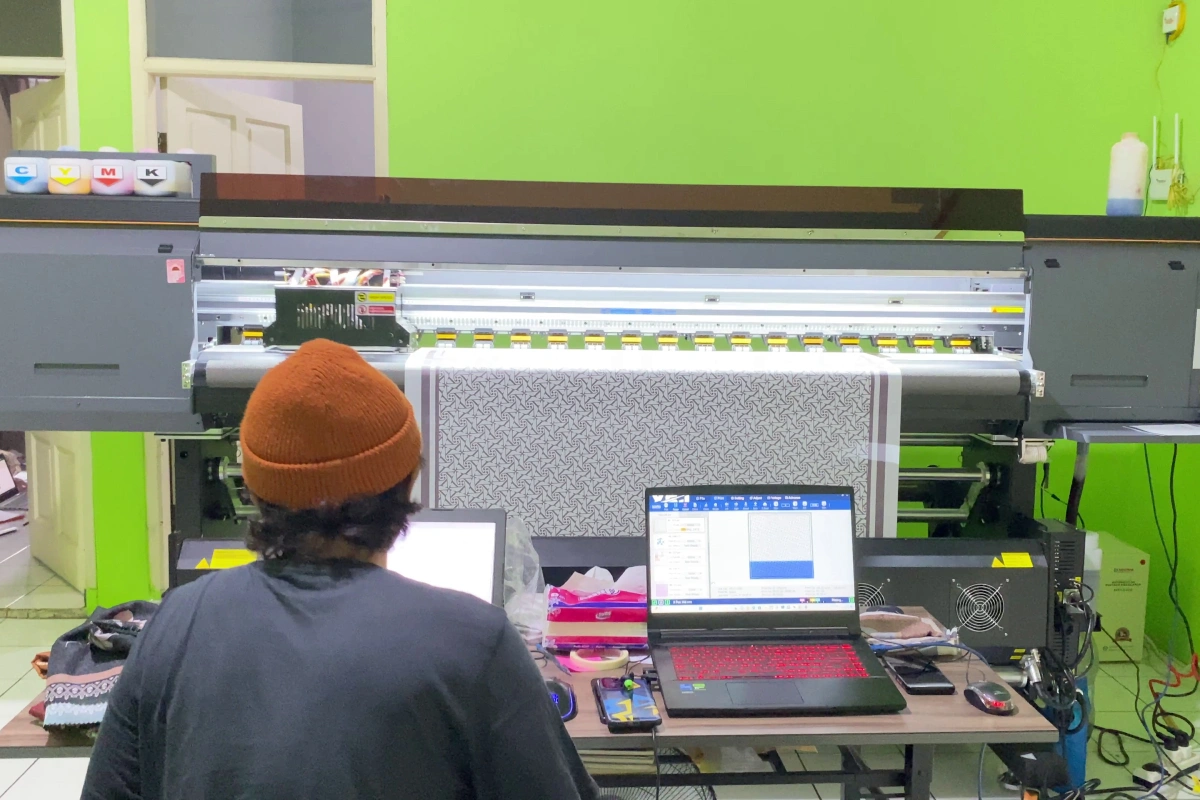
To launch your sublimation printing business, you’ll need several key components. Start with a quality sublimation printer like the Epson SC-F530 and a reliable heat press machine. Stock up on specialized sublimation ink and transfer paper, storing them in cool, dry conditions. Your workspace requires proper ventilation, stable temperatures (65-75°F), and robust electrical systems to support your equipment. You’ll also need computers with minimum 8GB RAM for design work and printing operations. Don’t forget to hire skilled staff or develop expertise in both design and printing. The success of your venture depends on how well you integrate these essential elements.
Key Takeaways
- Invest in essential equipment including a quality sublimation printer, heat press machine, and necessary maintenance tools for consistent production.
- Secure reliable suppliers for high-quality sublimation ink, transfer paper, and polyester-based substrates to ensure vibrant, lasting prints.
- Set up powerful computing systems with minimum 8GB RAM for printer operations and 16GB RAM for design work.
- Create an organized workspace with proper ventilation, temperature control, and adequate storage for materials and finished products.
- Hire skilled graphic designers and printer operators, or start with one person handling both roles for smaller operations.
What are the Essentials for Starting a Sublimation Printing Business?
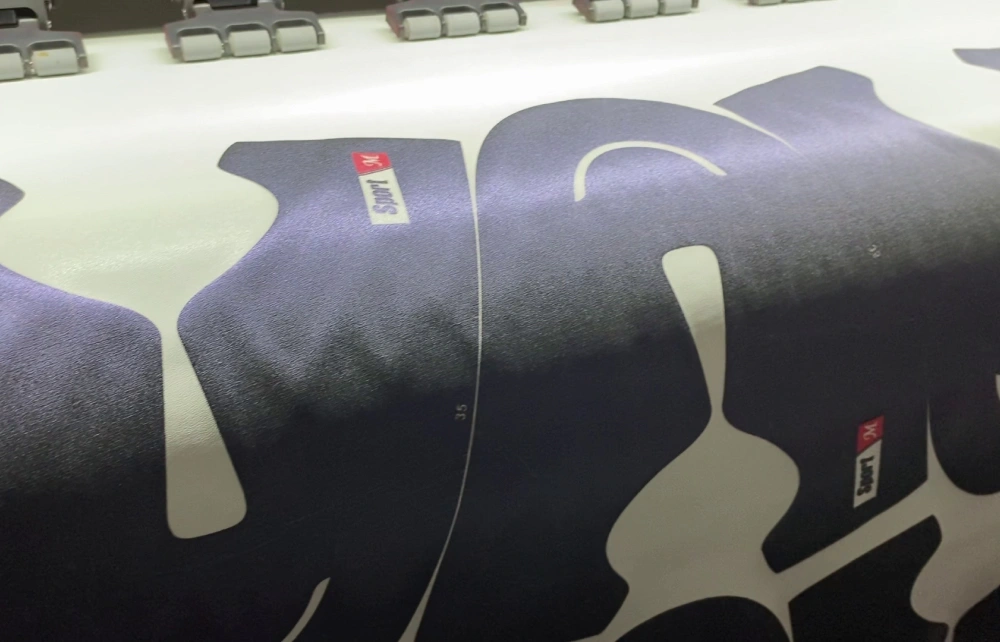
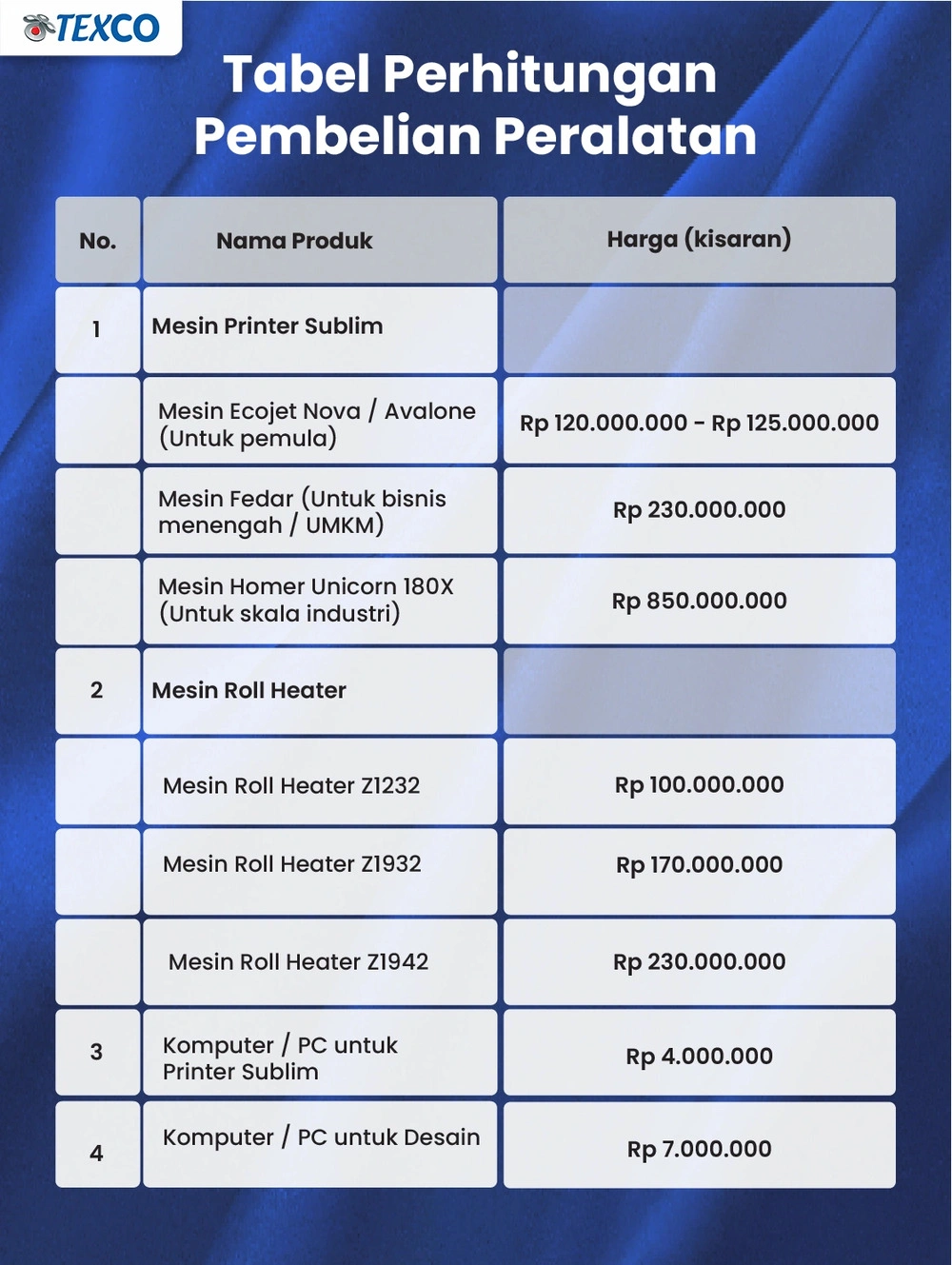
You’ll need five core items to launch your sublimation printing business successfully. A quality printer like the Ecojet Nova A1 and a reliable heat press machine will form the foundation of your production setup. Your toolkit must also include specialized sublimation ink, transfer paper, and appropriate polyester-based materials to create professional-quality products for your customers. The Ecojet Nova’s high-resolution prints at speeds up to 50 m²/hour make it an excellent choice for entrepreneurs seeking both quality and efficiency.
1. Sublimation Printer
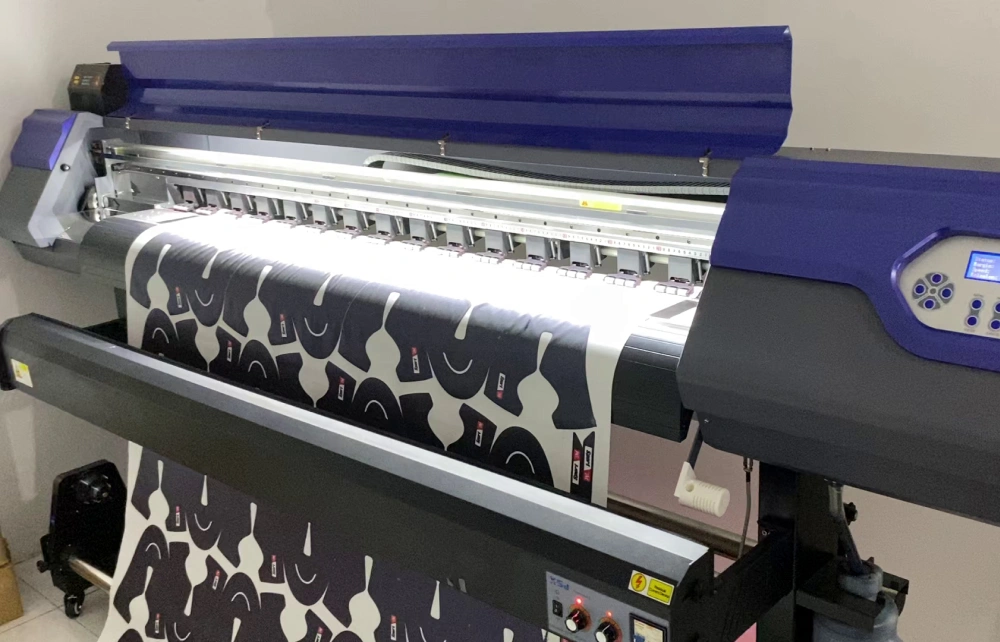
Starting a sublimation printing business requires investing in a quality digital sublimation printer as your foundational piece of equipment. You’ll find options like the Ecojet Nova A1 perfect for beginners, while the Texco Fedar serves high-volume production needs.
You’ll need to maintain your printer regularly to guarantee consistent color accuracy and prevent costly breakdowns. This includes calibration checks and cleaning routines that’ll keep your machine running smoothly.
When selecting your printer, make sure it’s compatible with quality sublimation inks from reputable suppliers. The right ink won’t just protect your investment – it’ll deliver vibrant prints that’ll wow your customers.
For optimal print quality, consider printers like the Epson SC-F530 that offer PrecisionCore technology for superior resolution and precise droplet control.
2. Heat Press Machine
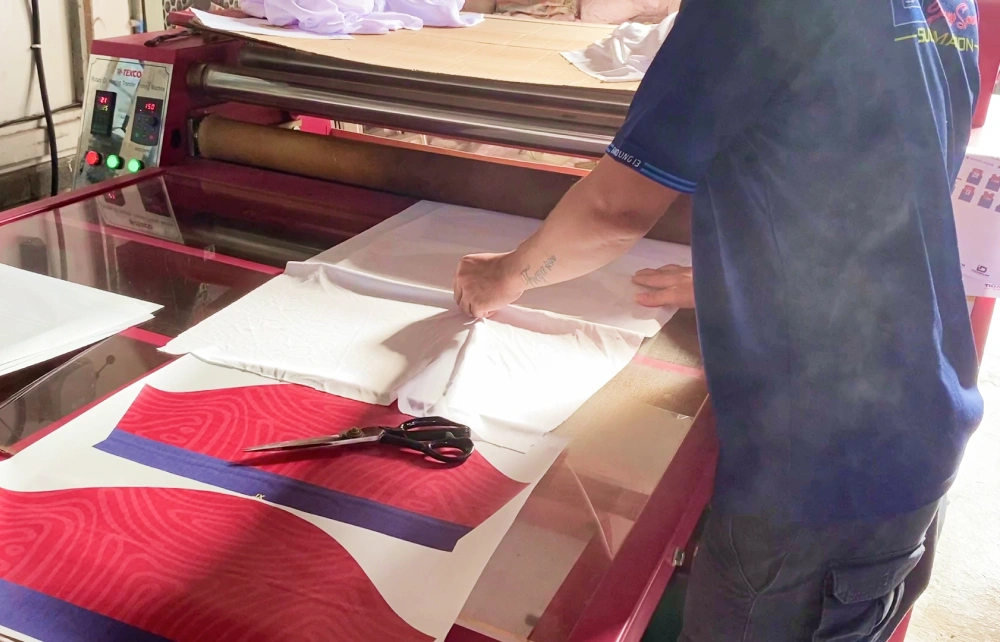
Along with your sublimation printer, a heat press machine serves as the backbone of your printing operation. You’ll need to choose between two main types based on your business goals.
For small-scale operations, a handpress machine will be your best friend. It’s perfect when you’re just starting out. If you’re planning larger production runs, consider investing in a roll-to-roll system instead.
Don’t skimp on quality here – your heat press directly impacts your final products. You’ll need precise temperature and pressure control to achieve those vibrant, lasting prints your customers want.
Remember to maintain your machine regularly. Clean it after use and check the settings before each project. This attention to detail will keep your heat press performing consistently and your business running smoothly.
Modern roll-to-roll systems like the oil drum heating technology ensure even heat distribution for high-quality results across large fabric surfaces.
3. Sublimation Ink

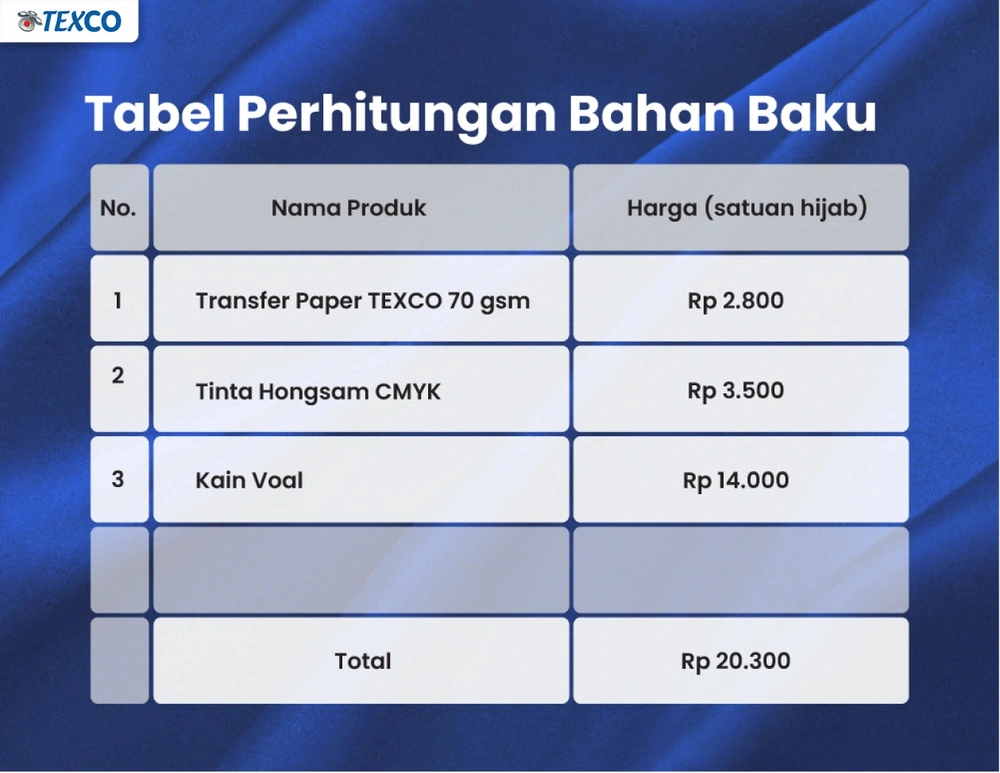
The success of your sublimation printing business hinges heavily on choosing the right ink. You’ll need to invest in high-quality sublimation ink that’s specifically designed for your printer model to avoid costly damage and guarantee vibrant results.
Don’t be tempted to cut corners here – matching your ink to your printer’s specifications is essential. You’ll want to source from reputable suppliers who can assure consistent quality and color accuracy.
Keep track of your ink levels regularly and store your supplies properly. Proper storage conditions will extend your ink’s shelf life and maintain its performance quality.
Remember that efficient ink transfer means less waste and better production output. When you’re investing in sublimation ink, you’re not just buying supplies – you’re investing in your prints’ quality and your business’s reputation.
Professional printers often rely on CMYK color sets packaged in convenient formats like 1.1-liter pouches for optimal performance.
4. Transfer Paper
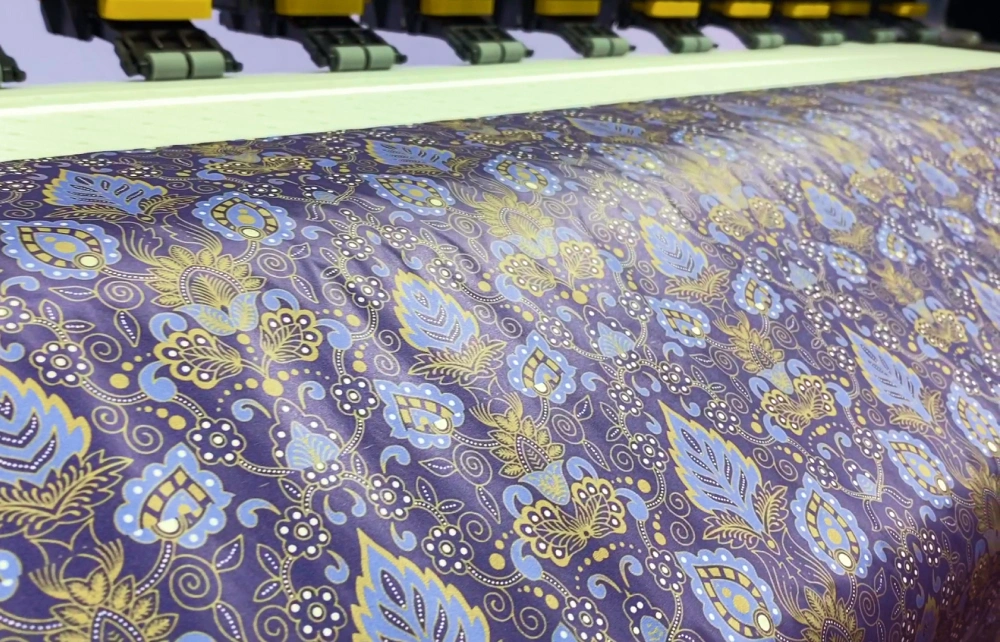
When setting up your sublimation printing business, quality transfer paper becomes as essential as your printer and ink choices. You’ll need to select the right weight and type for your specific applications.
Heavier transfer papers typically deliver sharper, more vibrant prints that’ll wow your customers. You’ll want to make sure your paper choice matches perfectly with your sublimation ink and printer model.
Store your transfer paper properly to protect your investment. Keep it in a cool, dry place away from direct sunlight and moisture. This’ll help maintain its quality and prevent wastage.
According to customer feedback, transfer paper products consistently achieve high satisfaction ratings of 4.9 out of 5 stars for quality and reliability.
5. Substrates or Materials

Selecting proper substrates makes or breaks your sublimation printing success. You’ll want to focus on materials containing at least 70% polyester – the higher the percentage, the better your prints will turn out.
Your go-to fabric choices should include polyester jersey and rayon. These materials readily absorb dyes and produce vibrant results that’ll wow your customers.
Don’t limit yourself to just fabrics. You can expand your product line with polymer-coated items like ceramic mugs, metal signs, and plastic accessories. Just make sure they’re specifically designed for sublimation printing.
Remember to match your substrate choice to your client’s needs. Some projects might require specialized materials. Keep a variety of options in stock so you’re ready to tackle any order that comes your way.
6. Computer for Printer Operator
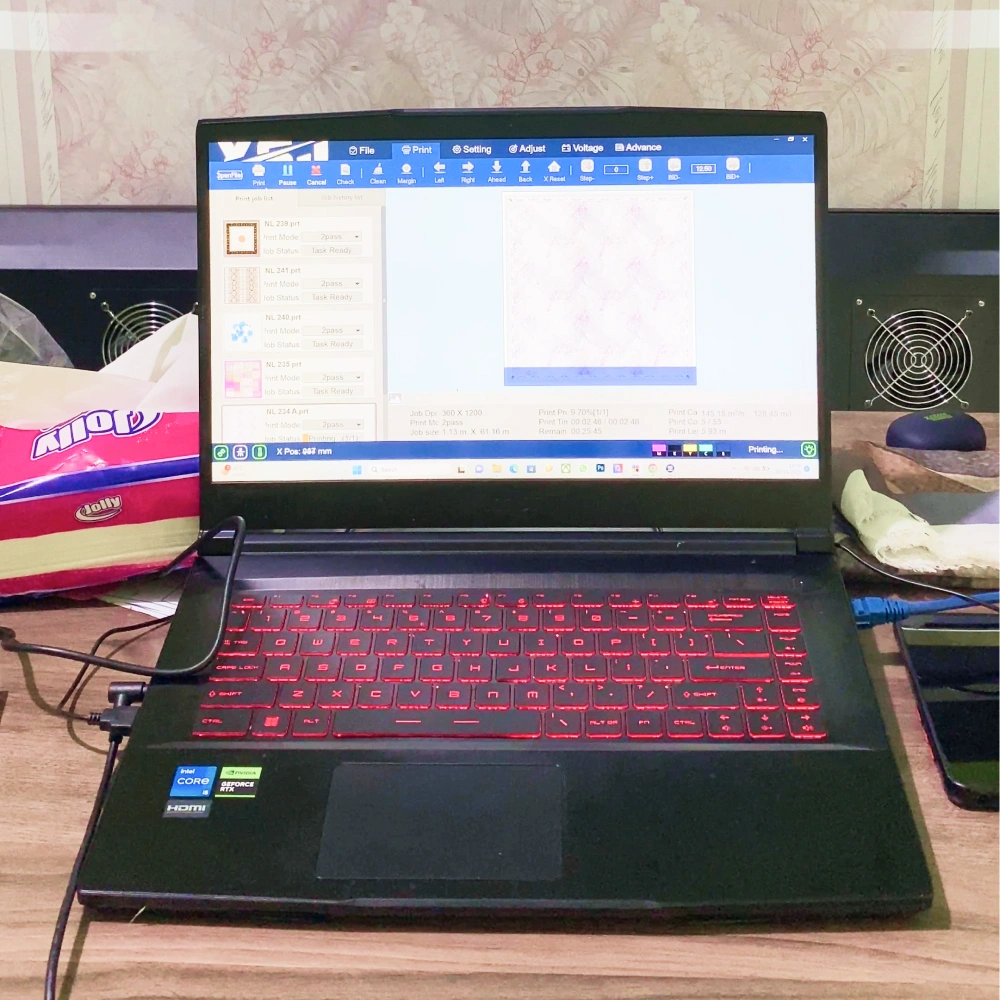
A reliable computer system serves as your printing operation’s command center. You’ll need at least 8GB of RAM to handle the demanding graphics work and RIP software that comes with sublimation printing.
Don’t skimp on processing power – a multi-core processor will keep your workflow smooth. If you’re planning to create designs, you’ll want a discrete graphics card to run programs like Adobe Suite without frustrating lag.
Storage matters too. An SSD will give you quick access to your design files and print jobs. Think of it as your digital workspace – the faster, the better.
Keep your system updated and maintained. Regular software updates guarantee everything plays nicely with your printer drivers and design programs. You don’t want technical hiccups slowing down your production schedule.
7. Computer for Graphic Designer

While printer operators need solid computing power, graphic designers require even more robust powerful hardware to bring creative visions to life. You’ll need a high-performance computer that won’t slow you down when working with complex designs.
Start with at least 16GB of RAM and a dedicated graphics card to handle demanding software like Adobe Suite or CorelDRAW. An SSD drive is essential for quick file access and smooth operation.
Don’t skimp on your monitor – you’ll want high resolution and accurate color representation to guarantee your designs look exactly as intended. This helps avoid costly printing mistakes.
Remember to keep your system updated with the latest software versions. You’re investing in a workhorse that’ll help you create stunning sublimation prints, so choose components that’ll support your creative workflow.
8. Workspace (Consider Two Categories)

Your workspace setup can make or break your sublimation printing business, which is why it’s crucial to divide it into two main categories: production space and storage space.
For your production space, you’ll need a well-ventilated area with reliable electricity and proper air conditioning. Make sure you’ve got enough room for your heat press, printer, and computer workstation. Don’t forget to install surge protectors to safeguard your equipment.
Your storage space should keep your supplies organized and easily accessible. You’ll want dedicated areas for blank products, finished items, and printing materials. Consider installing shelving units and storage containers to maximize vertical space.
Remember to maintain clear pathways between both areas. This setup guarantees smooth workflow and helps you stay efficient when orders start rolling in.
9. Air Conditioning

Proper air conditioning isn’t just a comfort factor – it’s an essential investment for your sublimation printing business. You’ll need to maintain temperatures between 65-75°F to guarantee ideal print quality and protect your equipment.
Your AC system serves multiple critical functions. It prevents your printers from overheating during intense production periods and helps maintain consistent color accuracy in your prints.
Don’t overlook humidity control. Your air conditioning system will protect your sublimation inks and transfer papers from moisture damage that could ruin your products.
Think of your AC as a quality control manager. It’ll keep your workspace comfortable for your team while safeguarding your equipment’s performance. When your environment is properly controlled, you’ll see better print results and experience less downtime.
10. Electricity
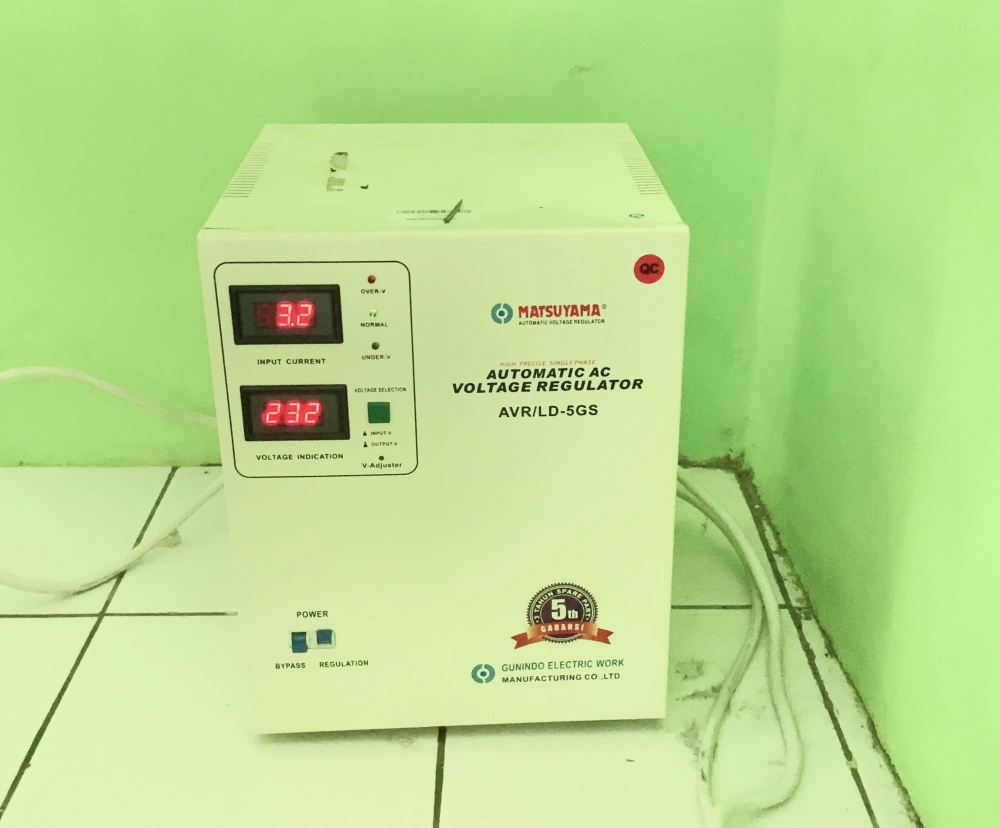
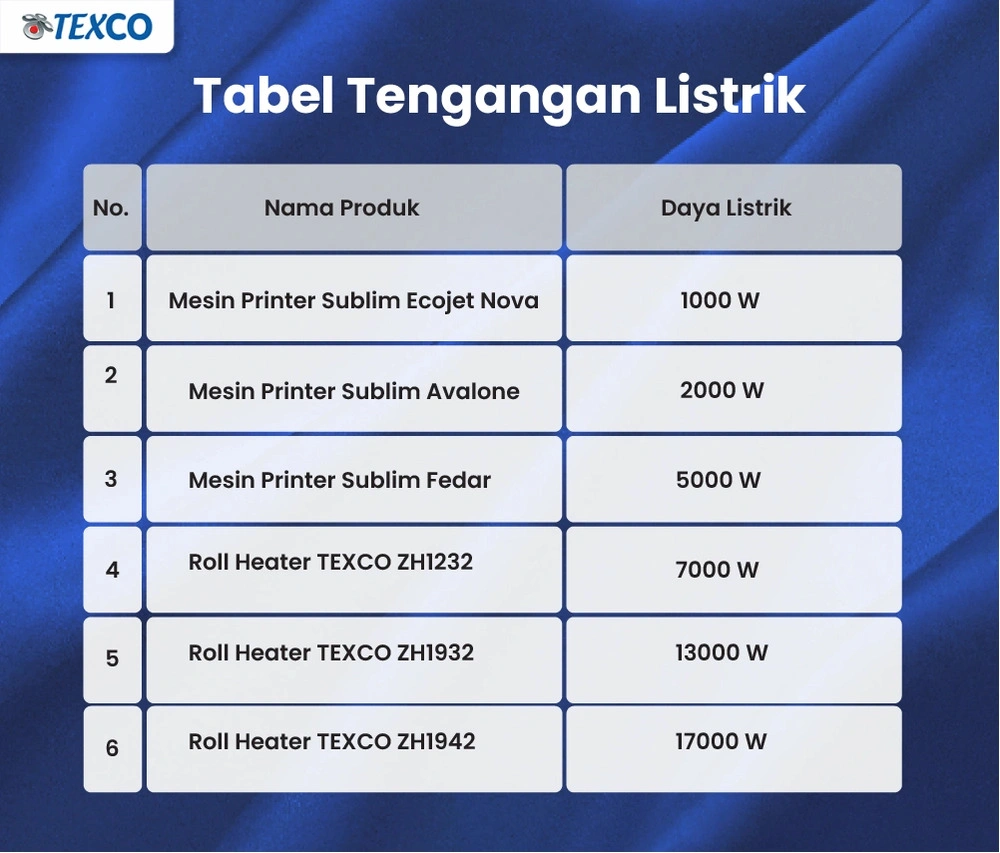
Power management stands at the core of any successful sublimation printing operation. You’ll need a robust electrical system that can handle your equipment’s demands without breaking a sweat.
Don’t skimp on your electrical setup. You’ll want to install proper wiring and circuit breakers that can support multiple machines running simultaneously. Think of it as giving your equipment a solid foundation to perform its best.
Protect your investment by installing surge protectors throughout your workspace. They’re your first line of defense against those pesky power spikes that could damage your precious machinery.
Make electrical maintenance a priority. Schedule regular inspections to keep everything running smoothly. You don’t want a preventable power issue to shut down your production and cost you valuable business time.
11. Human Resources

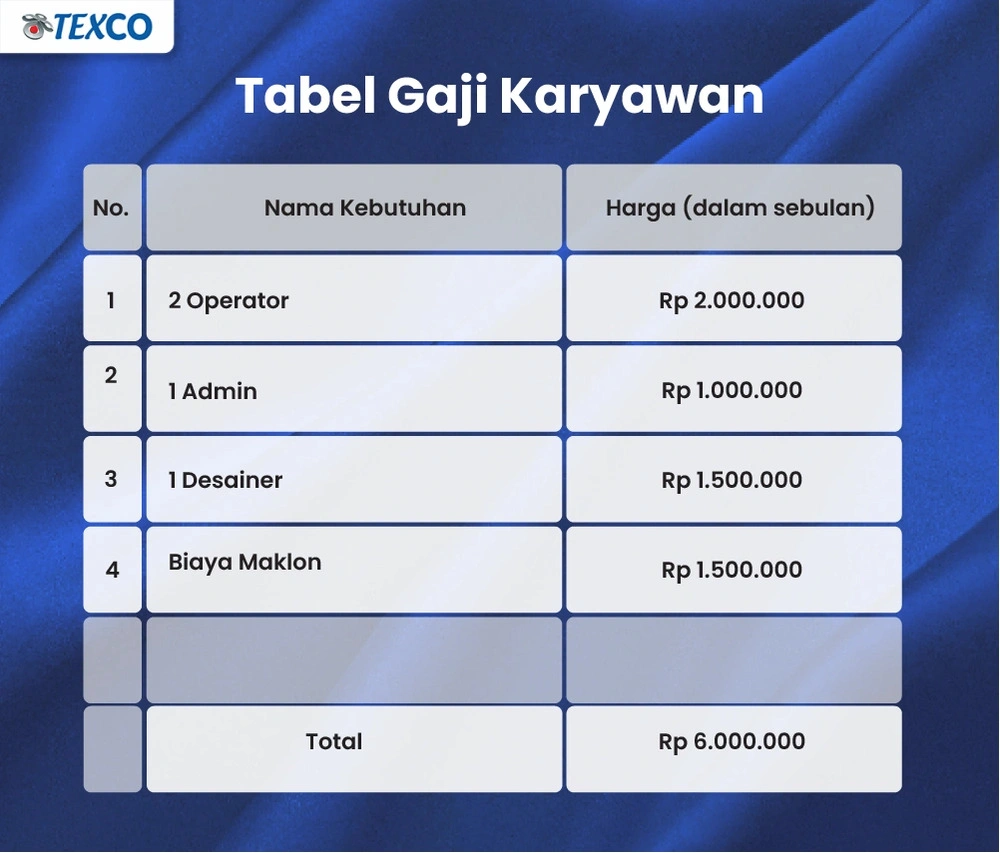
You’ll need skilled graphic designers who can transform your clients’ ideas into stunning, print-ready designs. A capable printer operator is essential to handle the technical aspects of sublimation printing and guarantee consistent quality output. These two roles form the core of your production team, and you can start with one person handling both responsibilities if you’re launching on a smaller scale.
12. Graphic Designer

Creative vision lies at the heart of a successful sublimation printing business, making a skilled graphic designer an essential team member.
You’ll need someone who’s mastered Adobe Suite or CorelDRAW and understands how designs translate onto fabric. Your designer should stay current with fashion trends while collaborating closely with your print operators to guarantee color accuracy and detail quality.
13. Printer Operator

While design expertise drives creativity, skilled printer operators bring those visions to life. You’ll need to invest in hiring operators who can master your sublimation equipment and maintain consistent quality.
Consider enrolling your operators in specialized training programs. They’ll learn essential troubleshooting skills and best practices that’ll minimize downtime and boost your production efficiency. An experienced operator can make the difference between average results and exceptional prints.
Conclusion
You might feel overwhelmed by all these requirements for starting a sublimation printing business, but don’t let that stop you. With proper planning and the right equipment, you’ll be ready to launch your venture. Start small with the essential items and gradually expand as your business grows. Remember, successful sublimation businesses didn’t get everything perfect on day one – they built their foundation step by step, just like you will.
Frequently Asked Questions
How Long Does Sublimation Ink Typically Last Once Opened?
Your opened sublimation ink typically lasts 1-2 years when stored properly. You’ll get the best results by keeping it in a cool, dry place away from direct sunlight.
Don’t forget to shake the ink well before each use to maintain consistent quality. You’ll know it’s time to replace your ink if you notice clogged printer nozzles or off-color prints.
For maximum lifespan, always check your manufacturer’s specific storage guidelines.
Can Sublimation Printing Be Done on Dark-Colored Materials?
Just like trying to paint stars on a night sky, sublimation printing on dark materials presents a challenge. You’ll face difficulty achieving vibrant results on dark-colored fabrics through traditional sublimation methods.
However, you’re not completely out of options. You can use special white base layers or pre-treatments designed for dark materials. These solutions will help your designs show up, but they’ll require extra steps and specific materials compared to standard sublimation on light fabrics.
What’s the Average Time Needed to Learn Sublimation Printing Techniques?
You’ll need about 2-4 weeks to get comfortable with basic sublimation printing techniques. The learning curve depends on how much time you dedicate to practice.
For mastering advanced skills like color management and fabric selection, plan on 1-3 months of hands-on experience.
You can speed up your learning by dedicating 10-15 hours weekly and taking online courses. They’ll help you grasp the essentials in as little as a week.
Do Sublimated Designs Fade After Multiple Washes?
You’ll be glad to know that sublimated designs are incredibly durable. When printed on fabrics with at least 70% polyester content, your designs will maintain their vibrancy through multiple washes.
The science is clear – sublimation actually dyes the fabric at a molecular level, not just the surface. Your prints can retain over 90% of their original brightness even after 50 washes.
Just remember to use cold water and avoid harsh detergents.
Which Brands Offer the Best Warranty for Sublimation Printers?
Ready to plunge into the world of printer protection? Regarding warranties, Roland and Sawgrass lead the pack with 2-year coverage on their VersaUV and Virtuoso SG800 models respectively. You’ll get solid backup for your investment.
Epson, Mimaki, and Brother offer 1-year warranties. But don’t just look at the timeframe. Consider that Sawgrass specializes in sublimation tech, while Roland’s warranty covers various printing applications.